
Ocean Bank Mobile Banking
Ocean BankFinance
4.7189.00 Reviews
- Version
- 25.2.4
- Installs
- 100.00K
- Age Rating
- Everyone
Screenshots
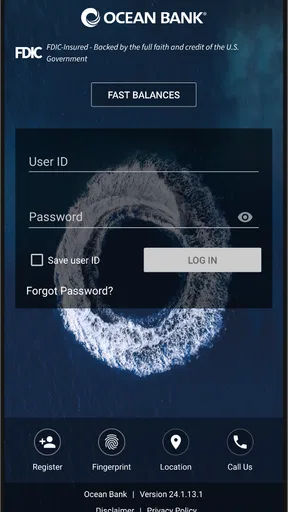
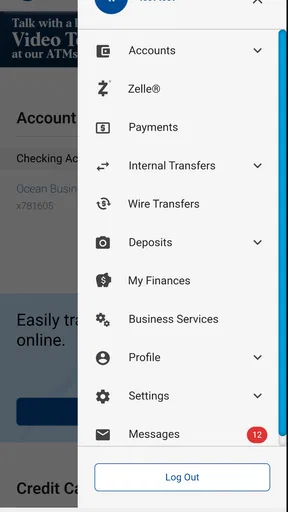
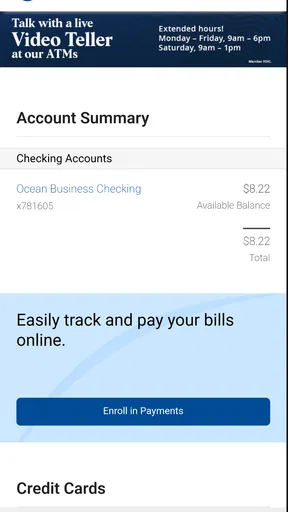
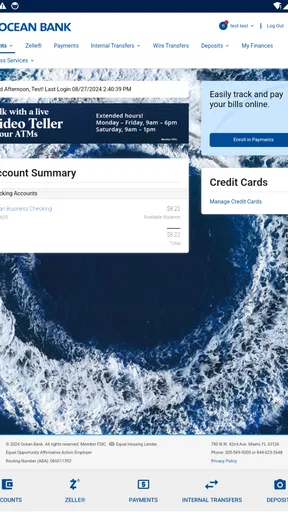
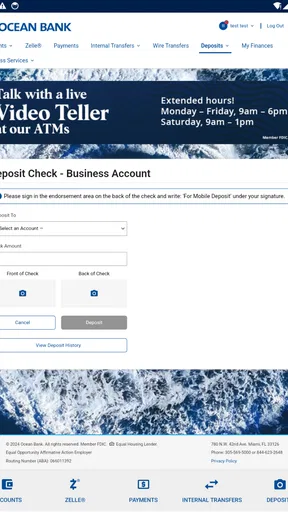
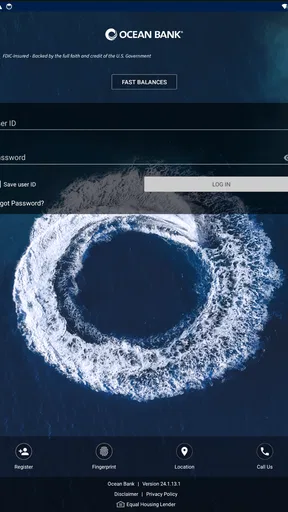
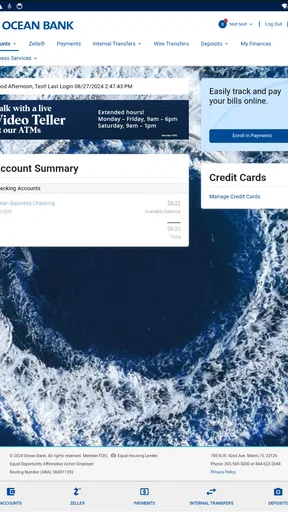
Our Review of Ocean Bank Mobile Banking
 Analysis by Appyee
Banking from a phone only feels useful when it removes small points of friction from an ordinary day, and that is the standard I used with Ocean Bank Mobile Banking. Developed by Ocean Bank, this free finance app is designed for customers who want to handle everyday banking while away from a branch or computer. My overall impression is positive: it is most convincing as a practical companion for routine account access, not as a replacement for every financial tool a person might need.
The app has earned a 4.7 average from around 578 ratings, with more than 100K installs. Those numbers suggest that it has found a steady audience, but they do not tell me whether it will suit every banking style. The more useful question is whether you want a focused mobile connection to Ocean Bank or a broad financial dashboard that combines accounts, budgeting, investing, and services from several institutions.
What using Ocean Bank Mobile Banking feels like
The strongest part of the experience is its clear purpose. Ocean Bank’s own summary describes banking on the go, and that is exactly the role I would assign it. Instead of treating the phone as a miniature branch with endless menus, I see it as a convenient point of contact for moments when I need to check my banking situation without sitting at a desk.
That matters in real life. Imagine leaving a grocery store and wanting to confirm that a payment has gone through, or standing at a checkout while checking whether your available balance covers an unexpected purchase. A mobile banking app earns its place when it handles those quick checks without turning a simple question into a project. Ocean Bank Mobile Banking is aimed at that kind of short, practical interaction.
I also like the distinction between a banking app and a general money-management app. A budgeting service may be better at showing spending patterns across several accounts, while a bank’s own application is the natural place to stay connected to that bank. For an Ocean Bank customer, using the official app keeps the experience centered on the relationship that matters most for day-to-day account activity.
The app is free, and its content rating is Everyone, which makes it approachable for a broad audience. That does not mean every user will find it equally useful. Someone who wants detailed financial planning may quickly outgrow a bank-focused tool, while someone who mainly needs reliable access to their Ocean Bank relationship may appreciate its narrower scope.
A useful tool for short banking sessions
My preferred way to use a mobile banking app is in short sessions: open it for a specific reason, find the relevant information, complete the task, and close it. Ocean Bank Mobile Banking fits that mindset better than a platform that tries to become a full personal-finance command center.
This short-session approach also gives me a practical tip: decide what you need before opening the app. If the goal is checking a balance or reviewing recent activity, there is little value in wandering through every available section. A focused habit makes mobile banking faster and reduces the chance of making an unnecessary change while browsing.
Another useful habit is to review an account before a predictable expense rather than only after a payment fails or a balance feels unexpectedly low. Checking before rent, travel, or a larger purchase can turn the application into a simple decision tool. It will not replace a full budget, but it can help me make a better immediate choice.
Why the bank-specific approach matters
There is a trade-off between convenience and breadth. A bank-specific app usually has a more direct purpose than an aggregator that brings together credit cards, savings, loans, investments, and outside accounts. That narrower focus can feel limiting, but it can also make the app easier to understand when I only want to deal with Ocean Bank.
This is where the developer matters. Ocean Bank is not presented as an independent budgeting company or a general financial marketplace; the app is tied to the bank itself. I would therefore choose it when my main need is managing or monitoring my Ocean Bank relationship, rather than when I want one screen for an entire household’s financial life.
For someone who already uses several financial institutions, the usual alternative is a third-party money app. Such an alternative may provide stronger spending categorization or wider account visibility, but it introduces a different workflow. I would still keep the bank’s own app available for bank-specific tasks, because a general dashboard is not always the best place to handle the details of one institution.
Small workflows that make it more valuable
The first non-obvious benefit is the ability to use the app as a pre-purchase checkpoint. Before committing to a large expense, I can check the current account picture instead of relying on memory. That is especially helpful when several recent payments have not yet been mentally reconciled.
The second is using it as part of a weekly money routine. I would choose one consistent day to review recent activity, look for anything unfamiliar, and note upcoming obligations. This workflow is more useful than opening the app randomly because it turns a passive banking connection into a repeatable habit.
The third is separating urgent checks from deeper financial planning. If I need an immediate answer about my Ocean Bank account, the bank’s app is the logical first stop. If I want to compare months of spending, combine accounts, or build a long-term plan, I would move to a dedicated finance tool instead. Knowing which job belongs to which app prevents disappointment.
A fourth practical insight is that mobile access should not become the only way I manage money. I would keep a basic record of important recurring commitments and use the app to verify current information, not to rely on memory alone. That approach is particularly sensible for users who have multiple accounts or irregular income.
Where the experience has limits
The main limitation is not that the app is too simple; it is that a focused banking app may be too simple for users who expect a complete financial workspace. The store summary is deliberately brief, and the product’s identity is clear: it makes banking more accessible while moving around. I would not select it as my primary budgeting, investment-tracking, or multi-bank analysis tool.
That distinction is important because many people now expect one application to explain every part of their financial life. Ocean Bank Mobile Banking may be a good answer for account access, but a person who wants detailed charts, automatic categorization, shared household planning, or a consolidated view of unrelated institutions should compare it with a specialized alternative before deciding.
There is also a behavioral limitation. A mobile banking app can show me information and provide access to banking tasks, but it cannot make financial decisions for me. If I open it only when I am worried, the experience may become reactive. Its value improves when I use it regularly and calmly, especially to review activity before problems become urgent.
I would also be cautious about judging any banking app solely by its rating. A 4.7 average is encouraging, and the app has received around 189 written reviews, but ratings often reflect a mixture of login experiences, device compatibility, customer expectations, and individual banking needs. A strong overall score does not guarantee that every workflow will feel equally smooth for every customer.
Another point to consider is the operating-system requirement. The current version is 25.2.4 and requires OS 11 or later. For users with a newer phone, that should be a straightforward consideration. Anyone holding on to an older device should check compatibility before planning to depend on the app, because a banking tool is only useful when it can run on the device used for everyday access.
The app’s history is also worth placing in context. It was released on September 20, 2015, so this is not a brand-new banking experiment. That longevity is reassuring in one sense, but it also means I would judge the current version rather than assume that an older release date automatically guarantees a modern experience. The version installed today is what determines how well it fits a current phone and current expectations.
Who should choose it
I would recommend Ocean Bank Mobile Banking first to an existing Ocean Bank customer who wants a straightforward way to stay connected while away from a computer. It makes the most sense for people who regularly need quick account awareness and prefer using the official channel associated with their bank.
It can also suit users who are uncomfortable with complicated finance software. A focused bank app is less intimidating than a platform filled with investment graphs, multiple institutions, and aggressive budgeting prompts. If your goal is simply to make routine banking more reachable from your phone, the app’s limited scope can be an advantage rather than a flaw.
It is a reasonable fit for busy people who need banking access in short windows: between errands, during a commute break, or before making a purchase. The key is to treat it as a practical utility, not as a complete financial adviser. That expectation matches the app much better than expecting it to organize every money decision in one place.
Who should look elsewhere
I would steer away from making it the sole finance app if you manage accounts at several banks or want detailed spending analysis. A dedicated aggregator may provide a wider overview, and a budgeting application may offer better tools for categories, goals, and long-term planning. In that situation, Ocean Bank Mobile Banking can still have a supporting role, but it may not be the central dashboard.
I would also hesitate if your phone cannot meet the OS 11 requirement. Compatibility is not an optional detail for a banking app, and switching devices simply to use one application may not be worthwhile unless the app fills an important need for you.
Finally, users who prefer branch visits or desktop banking for nearly every task may not gain much from installing it. The app’s value depends on wanting mobile access. If that behavior does not match your routine, a free download can still take up space without changing how you manage money.
My verdict for everyday banking
After looking at its purpose, audience, and trade-offs, I see Ocean Bank Mobile Banking as a sensible, focused finance app rather than an all-in-one money platform. Its strongest argument is convenience for Ocean Bank customers who want a direct mobile connection to their banking life. The free price and broad age rating make it easy to consider, while the current version and OS requirement give users a practical compatibility check before installation.
My recommendation is specific: choose it if you bank with Ocean Bank and want quick, regular access from your phone. Pair it with a separate budgeting or multi-account tool if your finances are more complicated. That combination is more realistic than expecting one bank application to cover every financial need.
The app does not need to be ambitious to be useful. In my view, its success depends on whether it handles the small moments that make banking easier: checking before spending, reviewing recent activity, and staying informed while away from a computer. For that audience, it is a worthwhile mobile companion. For users seeking comprehensive financial planning, a broader alternative will probably be the better primary choice.
Verdict
Strengths of Ocean Bank Mobile Banking
- Quick access to balances, transactions, and account details.
- Mobile check deposit reduces the need to visit a branch.
- Bill pay and transfers can be managed from one app.
- Card controls help users lock or unlock a misplaced card.
- Biometric login offers faster access on supported devices.
Limitations of Ocean Bank Mobile Banking
- Some features may require an eligible Ocean Bank account.
- Mobile deposit limits can restrict larger check deposits.
- App performance may depend on your internet connection.
- Not all banking services can be completed without branch support.
- Transaction alerts and security settings may need manual setup.
Similar Picks in This Category
View All
Google Wallet
Google LLC4.3

Airtel: Recharge, Bank & Loans
Airtel4.0

PayPal - Pay, Send, Save
PayPal Mobile4.2

DANA Indonesia Digital Wallet
PT Espay Debit Indonesia Koe4.5

Binance: Buy Bitcoin & Crypto
Binance Inc.4.8

Cash App
Block, Inc.4.7
Frequently Asked Questions
What is Ocean Bank Mobile Banking, and what can I do with it?
Ocean Bank Mobile Banking is the official mobile banking app for eligible Ocean Bank customers. After signing in, you can typically review account balances and transaction history, transfer money between accounts, pay bills, deposit eligible checks, manage alerts, locate branches or ATMs, and contact the bank. Available services may depend on your account type, enrollment status, device, and the latest app version.
Is Ocean Bank Mobile Banking safe to use on Android and iOS devices?
The app is designed with standard banking security features, such as secure sign-in, encrypted connections, session timeouts, and additional verification when required. However, no mobile banking service is completely risk-free. Download the application only from the official Google Play Store or Apple App Store, keep your operating system updated, avoid public Wi-Fi for sensitive transactions, and never share your password or verification codes.
How do I sign in or enroll in Ocean Bank Mobile Banking?
To use the app, you generally need an eligible Ocean Bank account and online banking credentials. Existing online banking customers can usually sign in with their current username and password, while new users may need to complete an enrollment process through the app or Ocean Bank’s official website. If you forget your credentials, use the bank’s recovery options rather than relying on unofficial support contacts.
Can I deposit checks and transfer money using the app?
Ocean Bank Mobile Banking may allow eligible customers to deposit checks by photographing the front and back of each check, entering the amount, and submitting it for review. It may also support transfers between linked Ocean Bank accounts and other eligible destinations. Deposit limits, processing times, holds, transfer availability, and eligibility can vary, so always review the confirmation and retain the check until the deposit is fully accepted.
Are there fees or device requirements for using Ocean Bank Mobile Banking?
Downloading and using a bank’s mobile application is often free, but normal account, transaction, wire, overdraft, or network-related charges may still apply according to Ocean Bank’s terms and your mobile carrier plan. The app requires a compatible Android or iOS device, an internet connection, and a supported operating-system version. Check the official store listing and Ocean Bank’s fee schedule before downloading or performing transactions.
